
Job Cards in 2 Minutes
Replace paper chaos with digital job card management. TTN Garage lets you create, update, and close job cards from your phone , with complete vehicle and customer history in one place.
29 Lakh+ job cards created on TTN Garage
Why Go Digital with Job Cards?
Paper job cards get lost, damaged, and are impossible to search. TTN Garage keeps every record safe, searchable, and accessible from any device.
Create in 2 Minutes
Enter vehicle number, customer details, and job type , your digital job card is ready before the vehicle enters the bay.
Full Service History
Look up any vehicle by registration number and see every past job card, invoice, and service reminder instantly.
Assign Mechanics
Assign jobs to specific technicians, track progress from Open to Complete to Close, and manage workload across your team.
Photos & Customer Voice
Capture dent photos, odometer readings, and customer complaints directly on the job card , no more miscommunication.
Set Service Reminders
Schedule next service due dates at job card creation. TTN sends automatic WhatsApp reminders to bring customers back.
Cloud Backup
All job cards are stored securely in the cloud. Lost your phone? Your entire workshop history is safe and recoverable.
Your Garage Dashboard, Always in Control
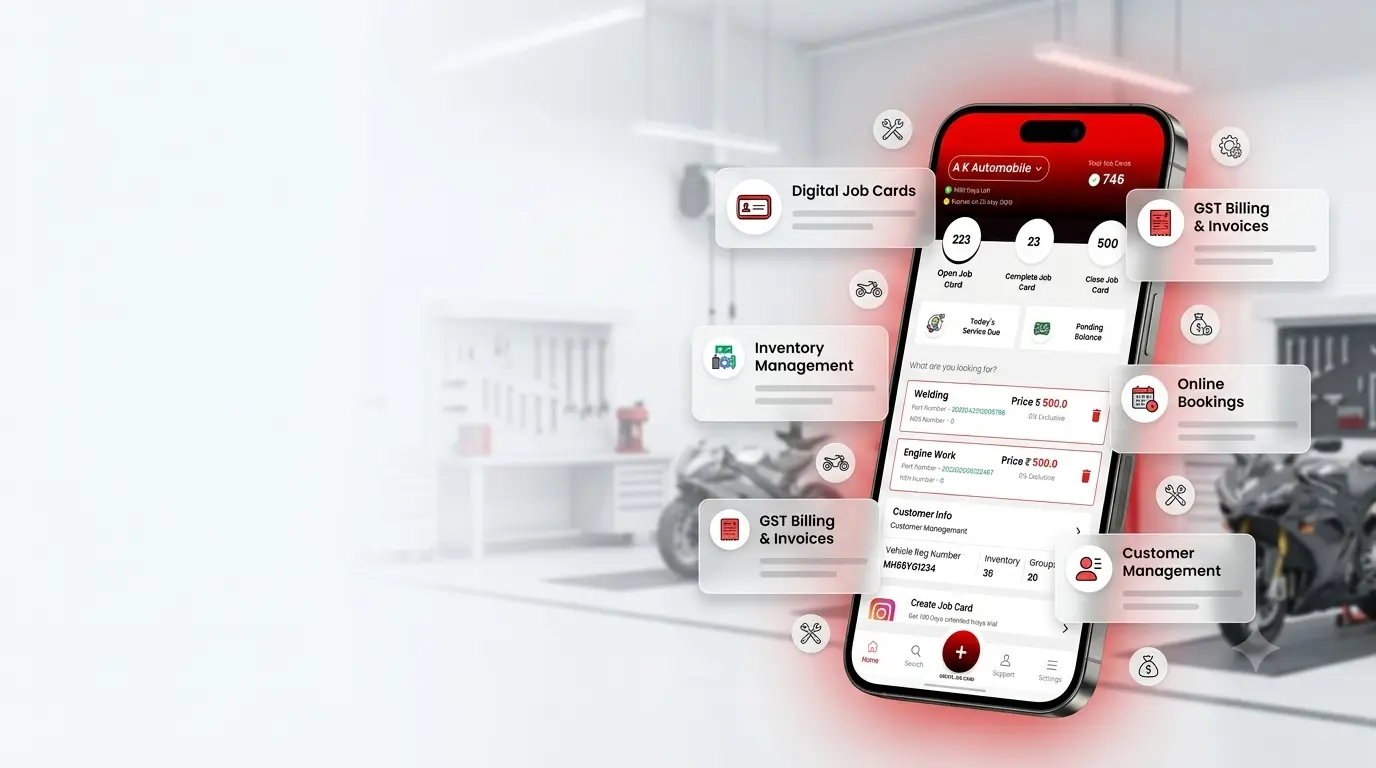
See open, completed, and closed job cards at a glance. Track today's service dues, pending balances, and workshop performance , all from one digital dashboard on your phone.
- Open, Complete & Close job card status tracking
- Today's service due alerts
- Pending payment balance overview
- Quick-create job card from home screen
- Works on Android mobile and web
How It Works
Three simple steps to go paperless
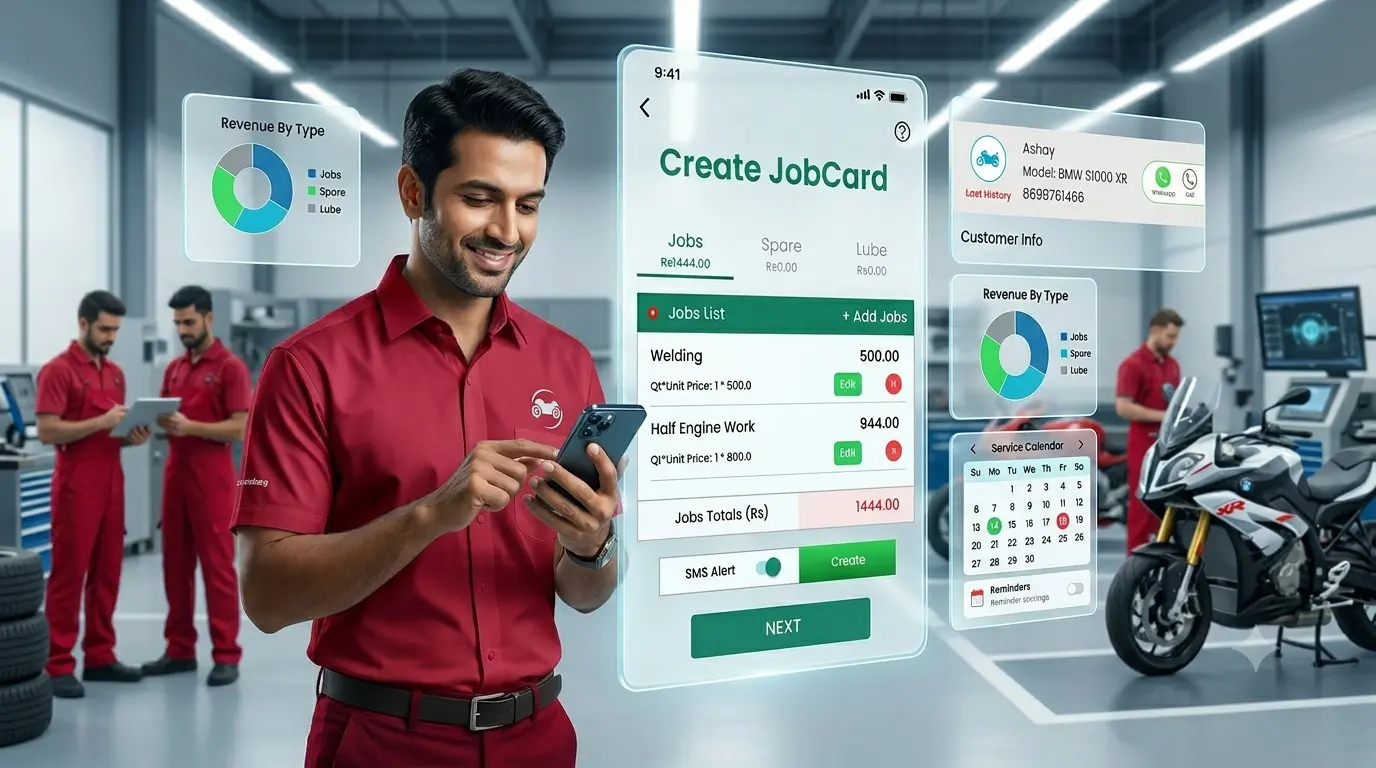
Create Job Card
Enter vehicle number and customer details. Select make, model, and job type. Done in under 2 minutes.
Track & Update
Add spares, labour, photos, and mechanic assignments as work progresses. Update status in real time.
Close & Invoice
Generate GST invoice from the job card, share via WhatsApp, and set the next service reminder automatically.
Trusted by 20,000+ Garages
Frequently Asked Questions
Common questions about digital job card management with TTN Garage.
Most workshops create a complete digital job card in under 2 minutes. Enter the vehicle registration number, customer name and mobile number, select make and model, and tap Create Job Card. No typing long forms , TTN Garage auto-fills vehicle details when possible.
Yes. Search any vehicle by registration number and instantly see the full service history , every past job card, invoice, parts used, and service reminders. No more digging through stacks of paper registers.
Yes. You can assign each job card to a specific technician, track whether it is Open, Complete, or Closed, and manage workload across your team. This helps multi-bay garages stay organised and accountable.
Yes. Once the job is complete, convert the job card into a GST-compliant invoice in one click. Add labour charges, spare parts, and taxes , then share the invoice with your customer instantly via WhatsApp.
All job cards are stored securely in the cloud with daily backups. If your phone is lost, stolen, or replaced, simply log in on a new device and your entire workshop history , every job card, customer record, and invoice , is right there. Nothing is lost.
Start Creating Job Cards for Free
10-day free trial. No credit card required. Full access to job card management and all features.